A real expression engine
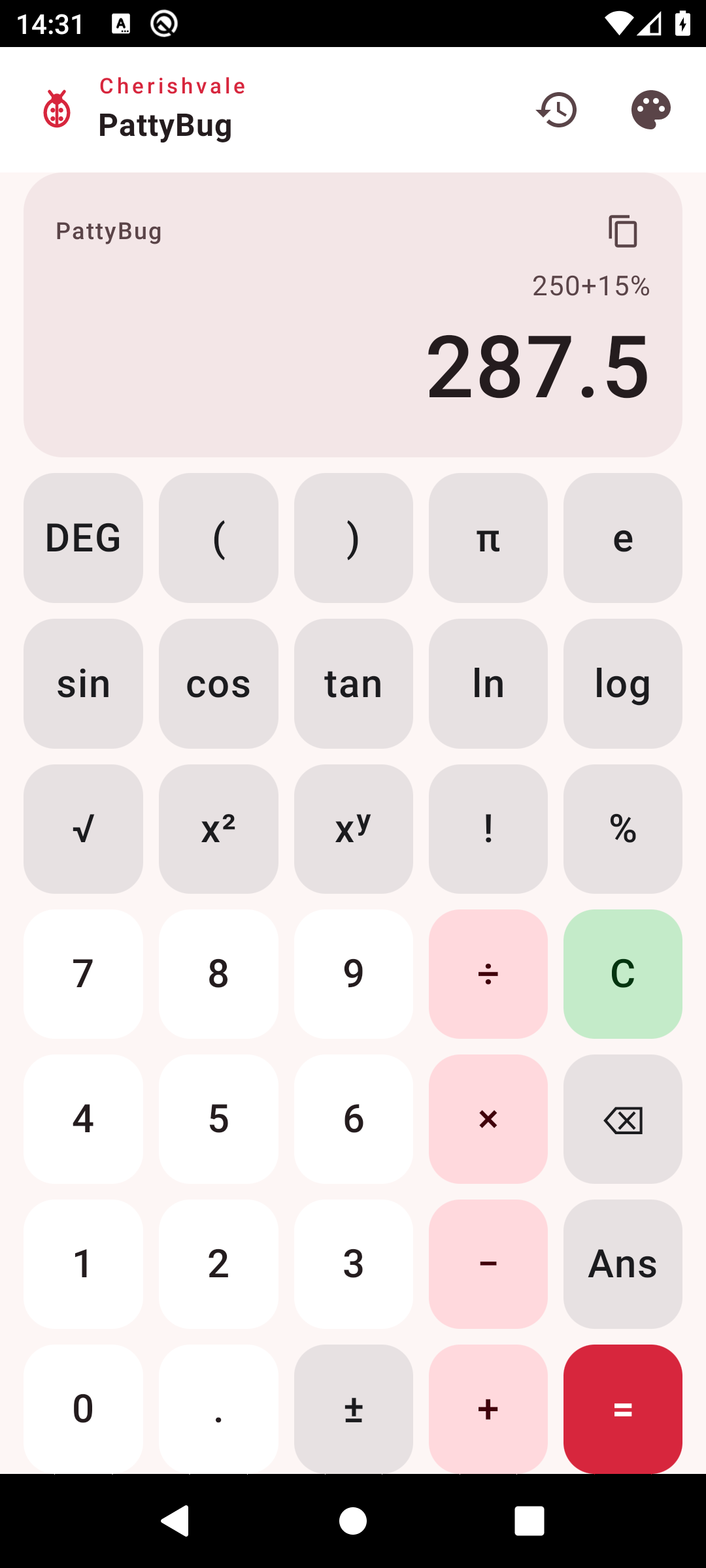
Type the whole sum the way you would write it — brackets, precedence and all.
Get it right the first time instead of chaining one operation at a time.
Live results
The answer updates as you type, so you can see a mistake before you commit to it.
Scientific functions
sin, cos, tan, sinh/cosh/tanh, ln, log, log₂, square and cube roots, powers,
absolute value, floor, ceiling and rounding. An INV key flips the trig
and log keys to their inverses (sin⁻¹, cos⁻¹, tan⁻¹, eˣ, 10ˣ).
Degrees or radians
One tap switches the angle mode, and the keypad shows which one is active.
Percent that behaves
250 + 15% is 287.5, 200 × 10% is 20, and a lone 50% is 0.5 — the way a pocket
calculator has always worked.
Constants, factorials, Ans
π and e, factorials, and an Ans key that reuses the last result in the
next expression.
History you can reuse
Every calculation is saved on the device. Tap a past result to drop it straight
back into the display.
Light, dark or automatic
A warm ladybug palette that follows your phone or sticks to the setting you pick.
No ads, no account, no network
There is no sign-up, nothing plays before a result, and the app never needs a
connection. It works with the radio off.
Plot y = f(x)
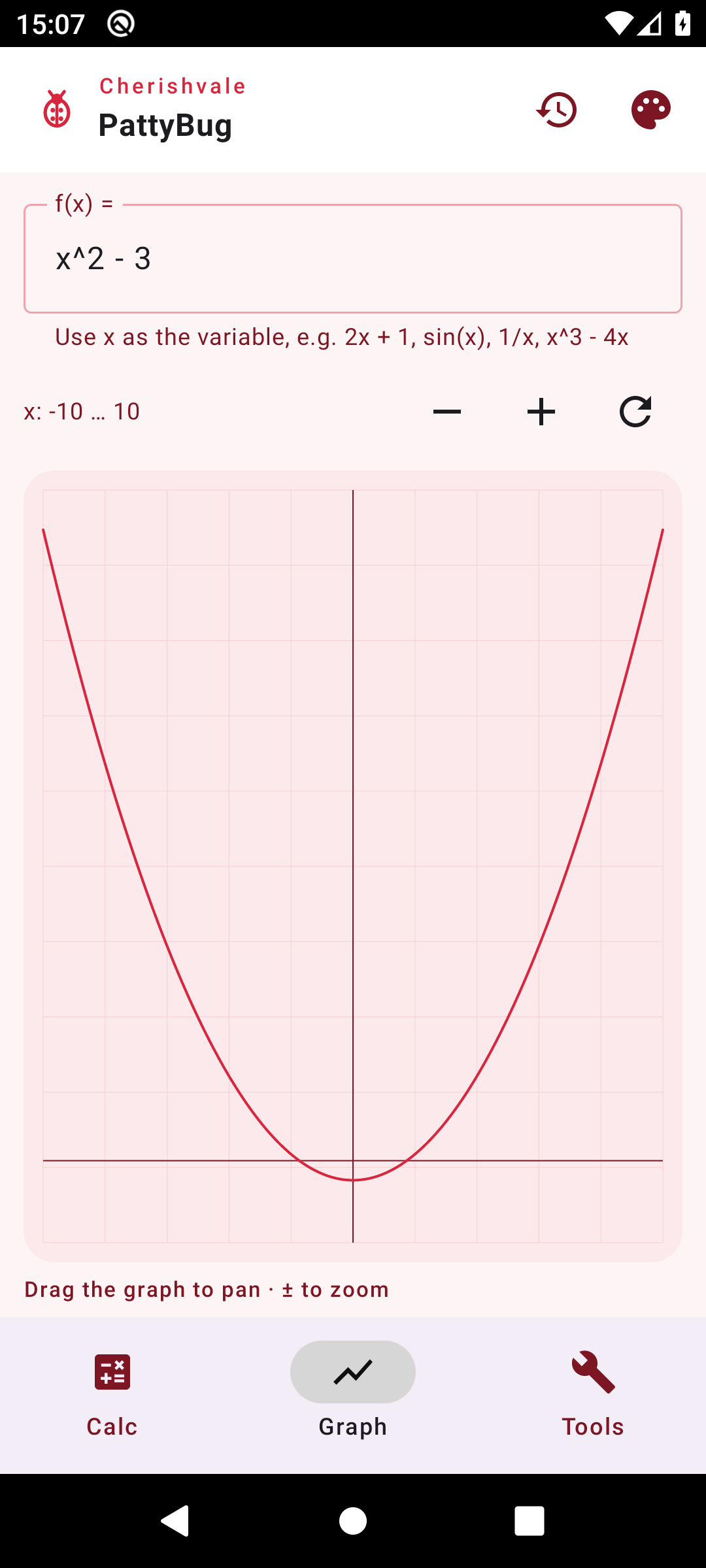
Type any function of x and see it drawn instantly — polynomials, sine waves,
1/x, roots, and anything else the calculator understands.
Pan and zoom
Drag the graph to move along the x-axis and zoom in or out. The vertical range
fits itself to whatever is on screen, so an asymptote never flattens the curve.
Slope
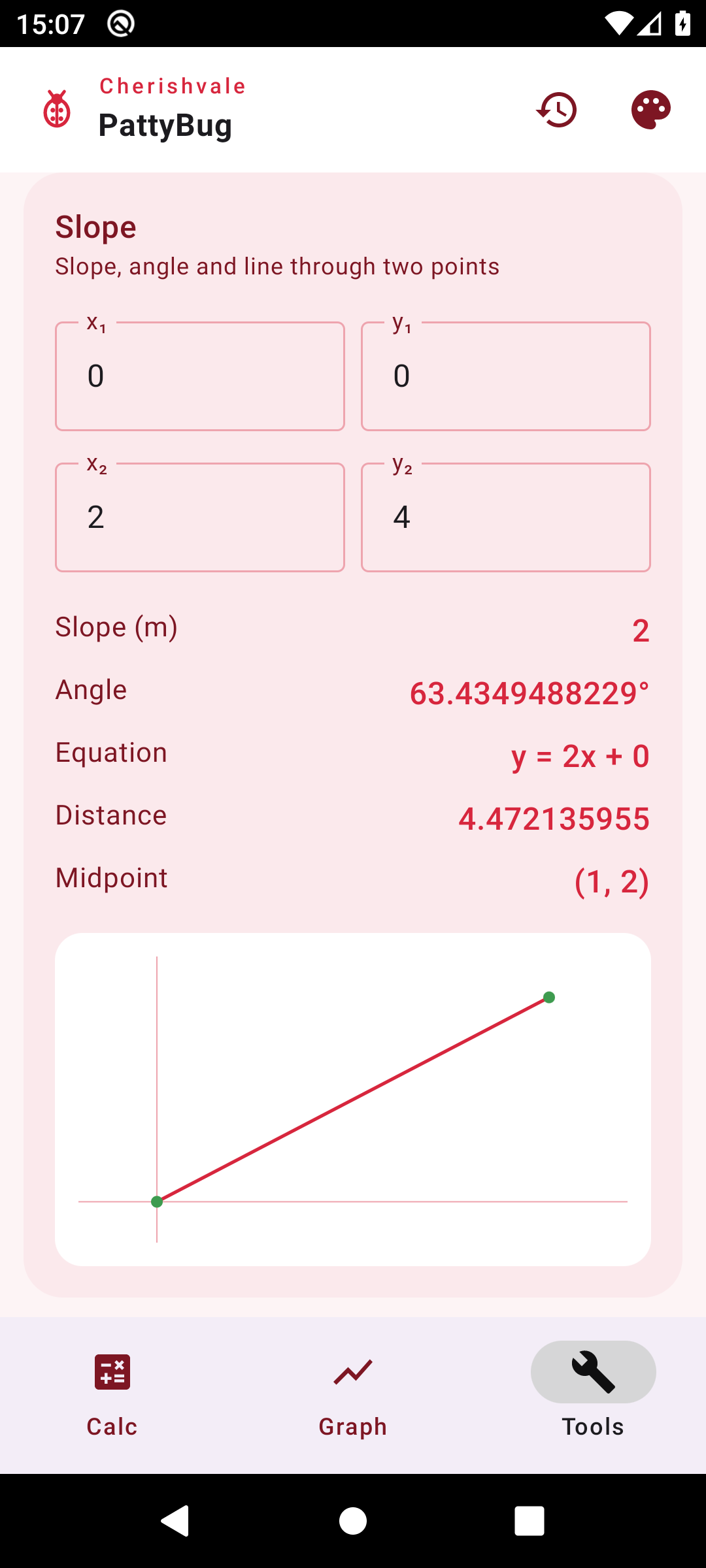
Enter two points and get the slope, the angle of the line, its equation
y = mx + b, the distance between them and the midpoint — with the line
drawn underneath.
Circle & π
Enter a radius and read the diameter, circumference and area, all worked out
with π. The value of π is shown too, for anyone who just wants to see it.
Ten skins are built in, so the app can change with the season — or stay
plain for anyone who would rather it had no theme at all. Several of them draw
their own artwork behind the keypad: cartoon ladybugs, friendly pumpkins, hearts,
blossoms, cats, dogs, a cheetah-print cover. Every one has a light and a dark version.
All of the artwork is drawn in code — there are no stock images or third-party graphics.
PattyBug was built as a gift for Patty, who loves ladybugs — so the
buttons are red like an elytra, the operators carry the spots, and the whole thing
is named for her. Underneath is a calculator serious enough for coursework.
On privacy
PattyBug does the maths on your device. Expressions, results and history are
stored locally, there are no analytics or advertising libraries, and there is no
network permission at all — the app cannot send your data anywhere, because it
has no way to.